If you are logged in as a corporate account user and have selected a retail location, the default display option is Location Totals.
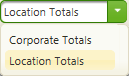
If you have changed the default display option, select Location Totals to display totals for the retail location.
The Sales and Cashes page displays the cashes and net sales totals, and the ratio of cashes-to-sales.
Each row displays an accounting week's net sales, cashes, and percentage of cashes-to-net sales for each game type. The Total row displays totals for the weekly totals for each of the sales, cashes, and percentage columns.
Report information is selected for full accounting weeks that fall within the Start Date and End Date. The default Start Date and End Date display the most recent, 13 full accounting weeks.
NOTE: The color of the “Currently viewing:” message below the title of the report will change between blue and red depending on the following:
If only a Corporate Account is selected in the Select a Corporate Account field, the “Currently viewing:” message displays in red.
If a Retailer Location is selected in the Select a Location field, the “Currently viewing:” message displays in blue.
If a Corporate Account and Retailer Location is selected, the “Currently viewing:” message displays in blue.
Display totals by retail location
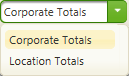
 next to the
  to export the data. The following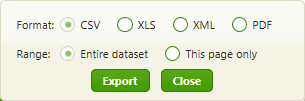
 .
.